
I lost my ticket email
Search your inbox for the event name first, and check spam. If you asked for your tickets by text at checkout, look for a text from shabanga Tickets too. Its link opens the same tickets.
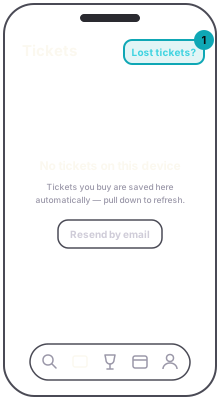
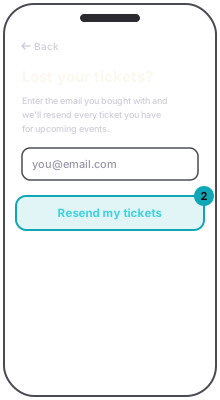
If it is not there, ask for it again. In the app, Lost tickets? on the Tickets tab takes the email you bought with; press Resend my tickets and your tickets are sent again. The reply is the same whether or not we found anything, so a wrong address simply gets nothing. Only events that have not started yet are resent. There is no resend on the website; it is in the app.
App
App
Typed your email wrong at checkout? That one you cannot fix from your side. Write to us on the support page with the name on the order, the event and the address it should have gone to.
AppTickets tab › Lost tickets? › Resend my ticketsGuestType the email you bought with and the tickets for events that have not started yet are sent again.