
Turn on donations
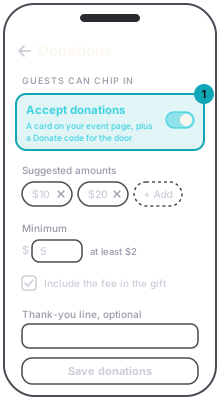
Donations let guests chip in, on a free event or a ticketed one. Open Donations on the event and switch on Accept donations. Set a Minimum and up to six Suggested amounts, then press Save donations. Guests see the suggestions as buttons and can type their own amount instead.
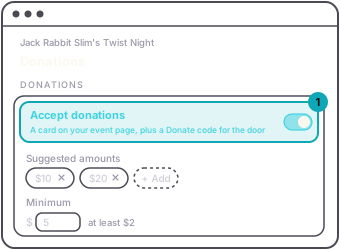
On a free event the card sits on the event page below the RSVP button. On a ticketed event the card stays off the page, and guests give through the Donate code or its link (why). Either way it pays with the same card flow as a ticket. A donation gets a receipt by email, not a ticket, and there is nothing to scan at the door.
You can write a Thank-you line that shows on the card. Leave it blank and the card shows none.
Turning donations on also gives the event a Donate code for the door.