
Fee in the price, or on top? What the buyer sees
When you price an admission ticket, you first choose how buyers see the price.
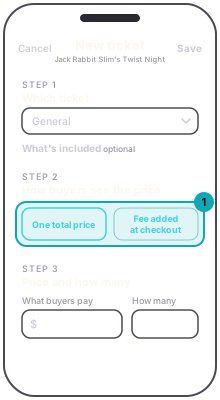
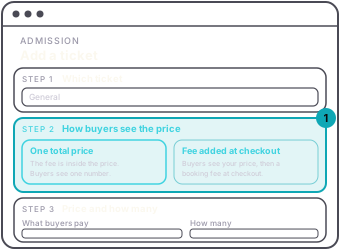
One total price, the default. The fee is inside the price and buyers see one number. No second line appears at checkout. You keep the price less the fee. On the dashboard the price box is labeled What buyers pay.
Fee added at checkout. Buyers see your price, then a booking fee at checkout, on a line labeled Service fee. You keep the price. On the dashboard the price box is labeled What you keep.
The app asks the same question with the same two choices. In the app's Admission list, every paid ticket says All-in or Buyer-paid. A group package still uses one switch, Absorb buyer fee.
Either way the editor shows You keep beside what buyers pay, so you can move the price until the keep is right. The price ladder asks the same question once, for all four tiers.
The fee is charged once per order, not per ticket. See what you keep.