
Sales close when the event ends
Every event has a start and an end, and sales of everything close at the end: admission, counter items, merch. A buyer after that sees "This event has ended — ticket sales are closed." Someone who paid in the last minute still gets their tickets; the cut-off is on buying, not on delivery.
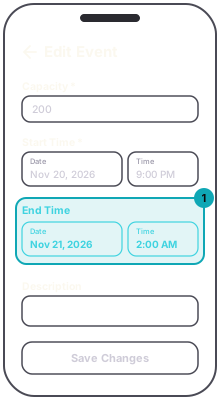
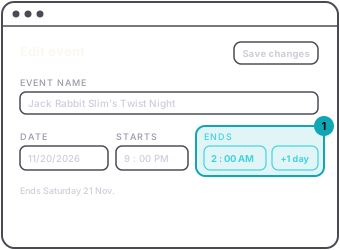
Tap to Pay follows the same end time, so plan the event's end for when the last sale should happen.
A tier can also carry its own sales schedule, a start and an end of its own. On the dashboard it is under Sales schedule in the tier's editor, and a new tier has none until you set one. In the app a new tier's sales end at the event's end time; turn on Set an early end time to end them sooner. A tier's end does not move when you later change the event's dates. If you push an event back and a tier reads Closed on the dashboard or Sales ended in the app, open the tier and clear or move its end.