
Tiers open one at a time. Here is the order
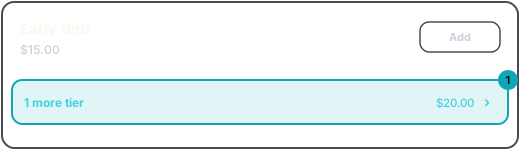
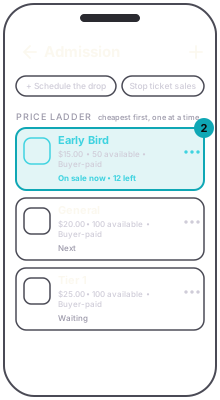
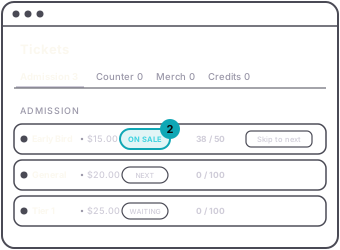
Admission tiers are a ladder. The cheapest tier that has tickets left, and is inside its own sales schedule, is on sale. The next one opens the moment it sells out or closes. The rest wait. Buyers see one price at a time, which is the point: Early Bird is early because it ends.
Each rung says what it is doing. On the dashboard the pills read On sale, Next and Waiting. In the app they read On sale now, Next and Waiting, under the heading Price ladder.
Four kinds of ticket sit outside the ladder and sell alongside whichever rung is on sale:
- group packages
- choose-a-price tiers
- promos
- tiers set to Sells on its own, such as VIP
In the app these are listed under Outside the ladder. On the dashboard, promos are listed under their own heading, Promos.
To close the rung that is on sale now, use Skip to next. On the dashboard it is a button on that row. In the app it is in the row's menu. It ends sales on that tier and the next one opens. Only the live rung has it, and it is not offered while a drop is scheduled. In the app that stays true after the drop time has passed, until you clear the drop with the cross on its Drops pill.
A tier that was skipped reads Closed on the dashboard and Sales ended in the app. A sold-out one reads Sold out on the dashboard and Tier sold out in the app. On the event page, buyers see both as SOLD OUT.
Raising a tier's quantity later adds tickets to it. You never need a second tier at the same price.