
Say what a ticket includes, like what comes with VIP
Use What's included to tell buyers what a ticket gets them: two drinks, the lounge, early entry, a table.
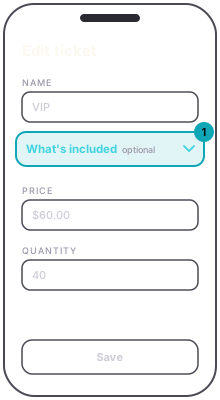
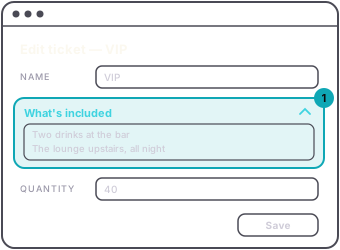
In the ticket editor, tap What's included under the ticket's name to open the box, and type it the way you want it read. Line breaks, blank lines and emojis stay exactly as you typed them. It is optional, and only admission tickets have it.
App
Web
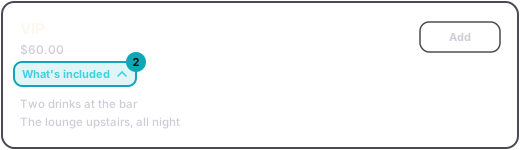
On the event page, buyers see What's included under the ticket's price and tap it to read yours. A ticket without one looks the same as before.
Guest
You can change it at any time, even after the ticket has sold. It changes what buyers read, not what anyone bought.
The app's buy screen does not show it yet. Buyers see it on the event page on the web.
AppMy Events › the event › Admission › + or Edit ticket › What's includedWebYour Events › the event › Admissions › + Add admission ticket, or Edit on a tier › What's includedGuestOn the event page, What's included under the ticket's price opens it.