
Publish it, and why it is not in Find Events yet
Two controls, and they do different things.
Publish Event makes the event real: the page is live, tickets can be bought, and guest passes can be sent. Until then it is a draft that only you and your team can see. The same button then reads Unpublish, and unpublishing stops ticket sales.
Discoverable in search puts it in Find Events in the app and in search on the site. Off, the event is link-only: anyone with the link can buy, nobody can stumble on it. A private party stays off. A club night goes on.
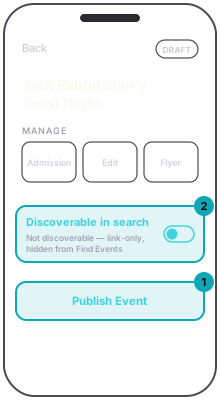
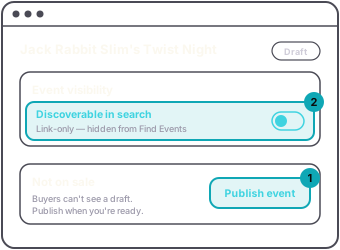
A published event that is not discoverable is the normal state for a lot of nights, so "I published and it is not in Find Events" is usually this switch, not a problem.
A series has the same two switches for its own page, on The series page card. See Set up a weekly night or a run of dates.