
Refunds, cancellations and chargebacks
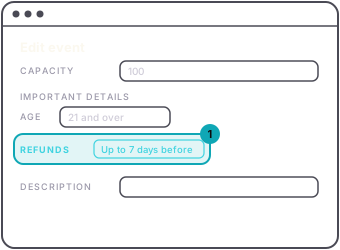
Refunds are your call; you run the event. You can tell buyers your policy before they pay: on the web, the Refunds choice under Important details in Edit event puts it on the event page. See refund policy and age limit. Stating a policy does not issue refunds by itself.
There is no refund button yet, so write to us with the event, the buyer's email or the last four digits of the card, and the amount, and we refund it to the card as soon as we reasonably can. On a refund you approve, the buyer gets the ticket price back and the service fee is kept.
Two limits, from the Terms every buyer agreed to: a ticket that has already been scanned is not refundable, because the holder attended; and a refund is generally only possible while we still hold the money, so ask before you take the payout, not after.
Canceling an event marks it canceled and stops ticket sales for good. On the web, Cancel event is the last row at the bottom of the event's page, and it asks you to type the event's name exactly before it will go. In the app it is in Edit. Then write to us and we refund the orders.
A chargeback is a buyer disputing a charge with their bank. Stripe tells us, and we will come to you for the story. The ticket email and the door scan are the evidence, which is one more reason to scan every ticket.