
When do I get paid? After the show, when you ask
Money moves after the show. Payouts has its own screen, not a tile on the event: open Payouts and pick the event. Request Payout opens once the event's start time has passed and every one of its card payments has cleared with Stripe, which is usually about two days after the last sale. An event with money owed and no payout yet is marked "Ready to pay out" in the list. The Transfer amount, the night's sales with the fees out and tips in, moves to your Stripe account, and Stripe pays your bank on its usual schedule.
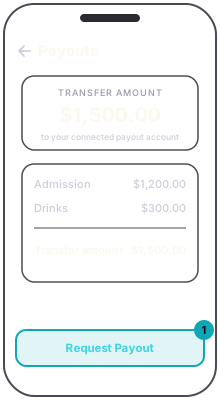
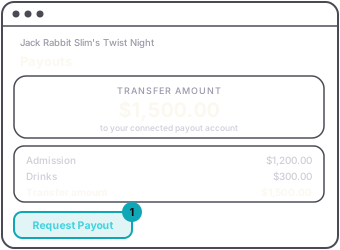
Three things make the button wait. Before the event, the screen shows what is coming, the button stays grey, and it says "Available after the event ends." If your payouts are not connected, the screen says so and offers Set up payouts instead; see connect your payouts. And card payments take time to clear: a sale made on the night cannot be paid out the same night. Until they clear, the screen says "Card payments take a few days to clear." with the day they land, and the button reads "Available" and that day, or "Not ready yet". Once they have cleared, press Request Payout and confirm.
The payout is one transfer per event. Tips collected for staff ride through in the same transfer; you pay your people the way you already do. Production costs are not taken out; those are yours to pay.
A partner on the event can see the Payouts screen, but only the promoter can request the payout.