
Take a payment at the door or the bar
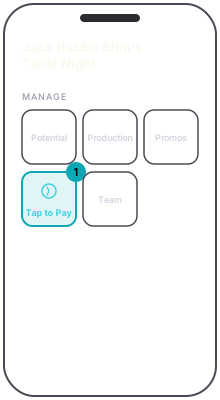
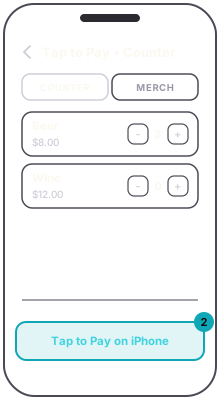
Two tills, one button. The Tap to Pay tile on the event console opens the counter till, with a COUNTER tab and a MERCH tab. In the scanner, door mode has Sell a ticket — tap to pay, which opens the door till with your admission tickets, and Counter and Merch modes have Walk-up — tap to pay, which opens the counter till. Tap items into the sale and the total builds at the bottom.
The door till sells the tier on sale now, plus any ticket that sells on its own while its sales are open. Later tiers show but cannot be added.
Press the pay button. On iPhone it reads Tap to Pay on iPhone; on Android it reads Tap to Pay. On a counter sale with drinks in it a tip screen comes first, with 15, 20 and 25 percent, a custom amount, or No tip. Then turn the phone to the guest. On iPhone they hold their card, phone or watch to the top edge. On Android the screen shows where the card goes.
The sale is done. A ticket sold at the door is issued already checked in, and a counter order is handed over on the spot, because the person is standing in front of you. A paid screen follows with a receipt option, and Next order starts the next sale.
The till takes payments on a published event until the event's end time. After that a sale is refused with This event has ended — sales are closed.
A team member can only take payments if you turned on Take card payments for them. Without it, the till tells them to ask the organizer.