
Where the door PIN lives
Every event has a door PIN: four digits by default, and you can change it to anything from four to eight on the dashboard. It is on the event console, next to the staff links in the app and in the Crew launchpad on the dashboard, where one press copies it.
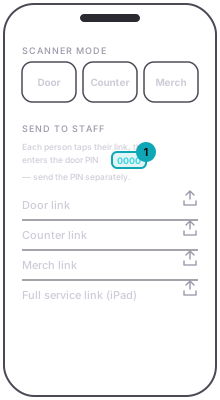
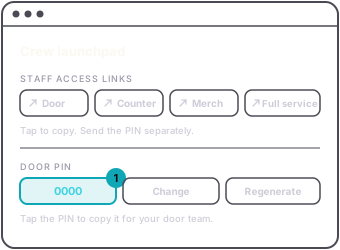
The PIN is what the scanner and the counter queue check before they will work on your event, so it is the thing to hand your crew and the thing not to put on a flyer. A guest never needs it.
A phone signed in to any shabanga account does not ask for it: yours, your team's, or anyone else's. Staff opening a link without signing in do.
Tap to Pay needs more than the PIN. The app fills the PIN in for you, and the phone also has to be signed in to an account allowed to take card payments on the event: you, or a team member with Take card payments turned on. See bring your crew onto a night.